Access audit next month and permissions still in a spreadsheet?→ sara.next
braf.tech

Custom software

Systems designed around the process, not the presentation

We build software for medium-sized and large organisations and take responsibility for the full cycle: from needs analysis and architecture, through development and testing, to rollout and support.

When it pays off

A custom system makes sense when the process is your advantage

Off-the-shelf software handles well what every company does in a similar way. Trouble starts where an organisation has its own way of working, shaped by its industry, scale or a regulator’s requirements. Fitting the process to the tool then ends with spreadsheets kept alongside the system.

A custom solution reverses that dependency. The system mirrors the real flow of work, connects to what already runs and develops at the company’s pace. The initial cost is higher than a licence, but the organisation does not pay for features it does not use and does not depend on someone else’s product roadmap.

Signs that the moment is right

  • A key process is run in spreadsheets, e-mail or on paper.
  • The same data is retyped by hand between several systems.
  • A report for an operator, regulator or auditor is built from scratch every time.
  • The field team works without access to current data.
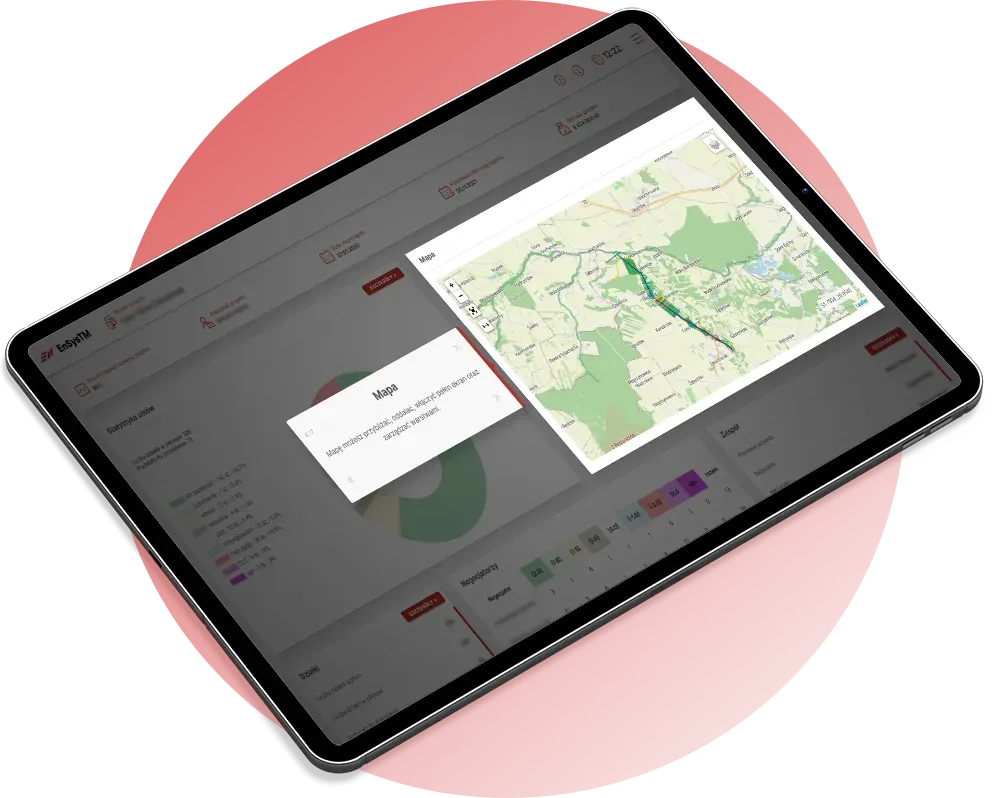
An application with a power line map on a tablet

The most expensive software is the kind next to which the company still keeps a spreadsheet.

Our starting point for any conversation about scope

What we build

Five areas where we have the most experience

01

Business applications

Web systems and portals that guide the user through a process.

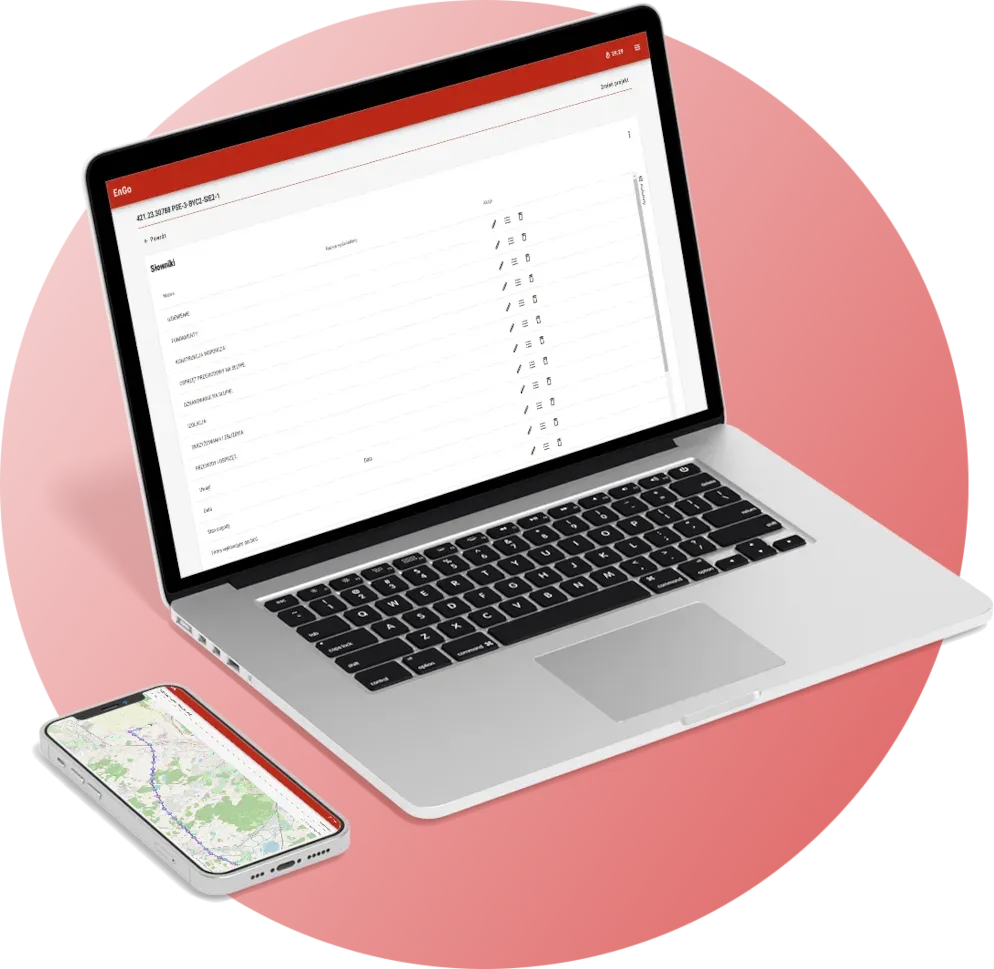
We build applications with roles, approval flows, configurable forms and reports. A typical project replaces a set of spreadsheets and messages with one system where the state of every case and the history of decisions are visible.

  • Roles and permissions matched to the company structure
  • Form and dictionary configurator needing no developer
  • Dashboards and reports for management

Business applications: scope and approach

02

Mobile apps and PWA

Field work, even where there is no signal.

Inspections and audits happen far from a desk. We design applications that work offline, store data locally and synchronise it once the connection returns. We use Progressive Web App technology, so one solution runs in the browser and on mobile devices.

  • Offline and online mode
  • Working with maps and location
  • Configurable inspection forms

Mobile apps and PWA: scope and approach

03

Systems integration

Data entered once and available where it is needed.

We connect new solutions to ERP and HR systems, user directories and external services. We design APIs, control data quality on both sides and make sure the failure of one system does not stop the others.

  • REST APIs and file exchange
  • Validation and monitoring of data flows
  • Connections to external systems such as the Union Database

Systems integration: scope and approach

04

Process automation

Less manual work where the rules are known.

We start by drawing the current flow of work and pointing out the steps a person performs only because systems do not talk to each other. We automate validation, notifications and the generation of documents and reports, leaving decisions to people.

  • Process mapping before writing code
  • Automatic reports in the format the recipient requires
  • Quick wins instead of one large rollout

Process automation: scope and approach

05

System modernisation

New life for applications the company still relies on.

Older systems often work correctly but are hard to develop, integrate and secure. We take them into maintenance, develop them and, when the platform starts to hold the company back, move their logic and data to a modern architecture. In stages, without stopping work. We know HCL Notes / Domino (formerly Lotus Notes) particularly well, as well as applications built in MS Access and FoxPro.

  • Maintenance and development of HCL Notes / Domino applications
  • Migrations from MS Access and FoxPro to web applications
  • Taking over maintenance from another vendor

System modernisation: scope and approachHCL Notes / Domino

Delivery process

Five stages, one accountable team

Developers, analysts, compliance specialists and auditors work on the project. We do not hand work over between companies, so nothing agreed gets lost on the way.

  1. Analysis

    We map the current and target process, data, roles and exceptions. We settle what really has to be built and in what order.

  2. Design

    Architecture, data model, mock-ups. Security decisions are made before the first line of code.

  3. Development

    Short stages with a working result. The client sees progress and can adjust direction.

  4. Testing and rollout

    Automated and manual tests, data migration, user training.

  5. Maintenance

    Post-rollout support, monitoring and development of further modules.

A practitioner’s view

Six decisions that determine whether a project succeeds

IT projects rarely lose to technology. More often they lose to an unclear scope, data of poorer quality than assumed and no plan for the day after go-live.

01

Process first, screen second

A project starts with analytical workshops and process maps. A feature list without an understanding of how work flows leads to a system that faithfully reproduces the existing mess.

02

The first version should be small

A well-defined scope for the first release lowers the risk of cost overruns and delays. It is better to launch a narrow, complete part of the process quickly than to spend a long time building a whole nobody has seen working.

03

Data migration is a project of its own

The problem is not moving records but their quality and fit with the new model. We prepare a migration plan and trial runs early, because they most often decide the deadline.

04

Testing is part of development

We combine automated and manual tests. Automated ones shorten the checking of what already worked; manual ones judge what a machine cannot see: convenience and sense from the user’s point of view.

05

Maintenance is agreed before launch

SLA terms, the scope of development and the way knowledge is handed over should be agreed before the system reaches users. Otherwise the first failure turns into a negotiation.

06

Integration is a decision about the rhythm of data

For every connection you have to decide which information must flow in real time and which can be synchronised in cycles. Architecture and cost depend on it.

Engagement models

A form that fits the stage you are at

Many engagements start with work of a fixed scope and, after rollout, move into continuous development and maintenance. SLA parameters are set once we know the application and the organisation’s requirements.

Project resources

When the scope and goal can be defined up front. The team focuses on the agreed scope, milestones and acceptance of results.

Works well for: A new application, a systems integration or a migration

Dedicated team

When a company develops its own systems continuously. A stable team learns the architecture, processes and constraints of the organisation, so new work does not start from zero.

Works well for: Systems that change along with the business

Maintenance under an SLA

Care for a running system on agreed terms: channels, priorities, response time and escalation. We also take over applications from another vendor.

Works well for: Applications after rollout or taken into maintenance

Application maintenance and development

Technologies

A proven stack instead of experiments

Systems for regulated organisations live for a long time. We choose technologies that are mature, well documented and easy to staff five years from now. We use the same tools in our own products, so we also know them from the maintenance side.

We treat security as part of the architecture: event logging, permission control, data encryption and change auditing are designed in from the start. In managing information security we follow the requirements of ISO/IEC 27001.

Technologies and how we choose them

Backend
  • Java
  • Spring Boot
  • Hibernate
  • REST API
Frontend
  • Angular
  • TypeScript
  • JavaScript
  • Progressive Web App
Data and identity
  • Microsoft SQL Server
  • PostgreSQL
  • Keycloak
  • SAML 2.0
  • Active Directory
  • Entra ID
Environment and maps
  • Microsoft Azure
  • On-premise
  • OpenStreetMap

Has a process outgrown its spreadsheet?

Describe how it works today. We will propose the scope of a first stage and a way to check that the solution meets expectations.