Access audit next month and permissions still in a spreadsheet?→ sara.next
braf.tech

Union Database reporting

UDB reporting without retyping transactions by hand

SGSync supports reporting to the Union Database under RED II and RED III. It imports data from Excel, CSV, ERP or an API, validates it before sending, shows the status of every transaction and keeps an operation history for audit purposes.

  • RED II
  • RED III
  • Union Database
  • KZR INiG
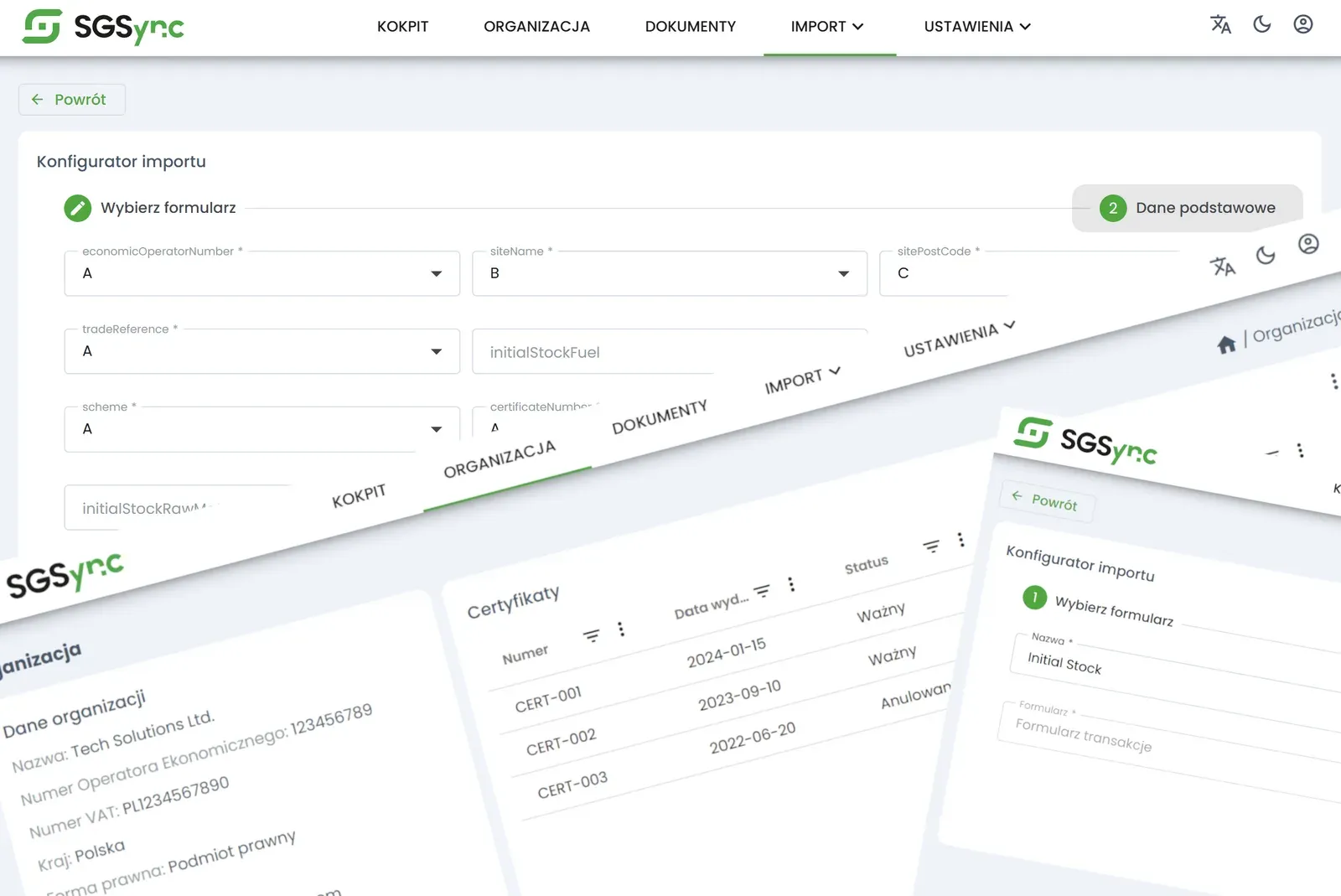
SGSync application screens
Operating models
Access Point and Service Provider
Data sources
Excel, CSV, XML, ERP, API
Hosting
Microsoft Azure, EEA
Starting point
Proof of Concept

The problem

A new obligation, old spreadsheets

The Union Database is an EU database in which operators in the renewable fuel supply chain register transactions and confirm the sustainable origin of feedstock. For a collection point, a producer or a trader it is one more obligation to fulfil on time and without errors.

Entering data by hand works for a few transactions a month. With hundreds, mistakes in quantities and codes appear, along with corrections on the counterparty side and the risk of discrepancies against the mass balance that only surface during an audit.

SGSync takes over the repetitive part of that work. Companies working with files use the Service Provider application; organisations with their own ERP connect to the UDB through the Access Point. In both models data is validated before it reaches the EU database.
An error caught before sending costs a minute. The same error caught by an auditor costs a correction across the whole supply chain.

From braf.tech implementation experience

Who it is for

  • Collection points and buying stations
  • Biofuel producers and processors
  • Traders and distributors
  • Biogas plants and biomass suppliers

How SGSync works

Two models, one goal: correct data in the UDB

01

SGSync Service Provider

A web application for reporting from Excel, CSV or XML files. No integration and no IT department needed.

02

SGSync Access Point

An API through which the ERP system sends data to the Union Database. It passes data on and does not store it.

03

Validation before sending

Data is checked before it is passed to the UDB, which reduces corrections and rejections.

04

Status monitoring

You can see which transactions were accepted and which need attention.

05

History for audit

Every operation stays in the history. The auditor sees data only with the client’s consent.

06

Operational support

Onboarding, training and help with entering data, not just access to a tool.

Implementation

From first conversation to go-live

  1. 1

    Initial analysis

    After signing an NDA we review the data and the current way of reporting.

  2. 2

    Proof of Concept

    We test the solution on real data before a decision is made.

  3. 3

    Configuration

    We set up import, validation and user accounts or the API connection.

  4. 4

    Go-live and support

    After launch we stay on as day-to-day operational support.

A practitioner’s view

How to choose a way of reporting to the UDB

The choice depends mainly on two things: the number of transactions and where the data lives today. With a handful of transactions a month, entering them directly in the Union Database is enough. An extra tool does not pay off where there is little work.

Companies that keep records in spreadsheets and files usually choose the Service Provider model. They import a file, the system checks the data and shows errors before sending, and the team needs no support from IT. This is the typical route for collection points and small and medium-sized companies.

Organisations with an ERP system, their own IT team and a large number of transactions connect through the Access Point. Data then flows from the source system through an API, with no intermediate file step. The condition for success is order in the source data: consistent units, feedstock codes and counterparty identifiers.

Whatever the model, the greatest risk is not the sending itself but a discrepancy between what was reported and the mass balance. That is why we start with data analysis and a trial on real transactions, not with configuring the tool.

One clarification: SGSync is not a European Union system or a part of the UDB. It is a tool that helps a company prepare data, check its completeness and control the exchange of messages with the EU database.

What most often breaks reporting

  • Different units and feedstock codes in documents of the same company
  • Data filled in after the fact, from memory or correspondence
  • Nobody responsible for reacting to transaction statuses
  • A spreadsheet as the only place where operation history is kept

This description is general and does not constitute legal advice.

SGSync on screen

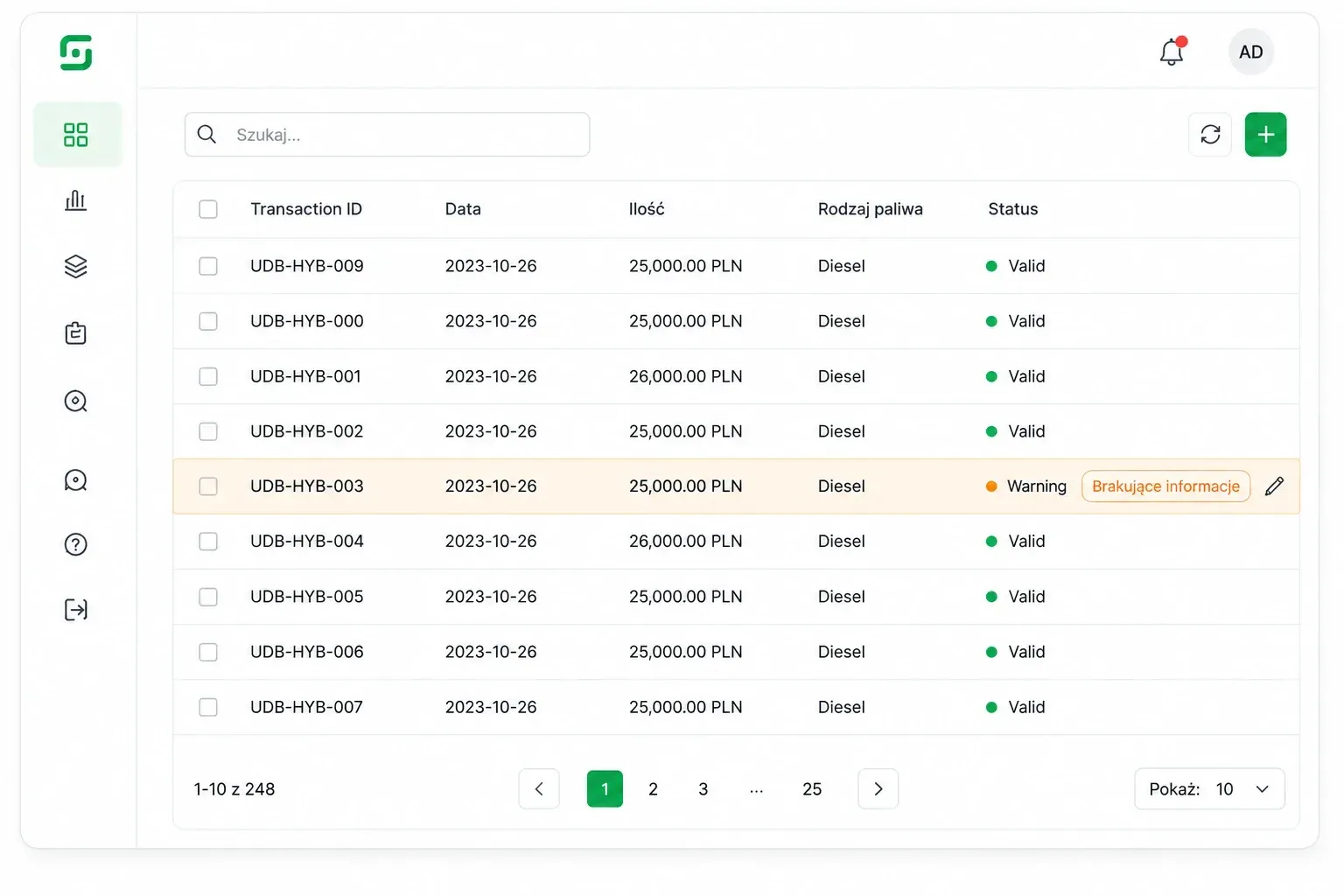
Transactions and their statuses in one view

  • Transaction list with the status of every item

    Transaction list with the status of every item

  • Configuration and report screens

    Configuration and report screens

More about the product

Evidence, the product website and our other solutions

Product website

SGSync has its own website

The product website offers a knowledge base on the UDB, RED II, RED III and KZR INiG, a comparison of both models and pricing with a calculator (in Polish).

Go to sgsync.eu
Identity Governance & Administration

sara.next

Identity and access management you can defend in front of an auditor

Discover sara.next
Whistleblowing system

whiblo

A reporting channel employees are able to trust

Discover whiblo

See SGSync on your own example

During the demo we show the process from start to finish and answer questions from IT and compliance.